Sep 12, 2010

BPM on Linux...

Running jdeveloper on Linux is not really a problem. Just unzip the tarball (<11g) or run the installer (11g +) and start with ./jdev.
Jdeveloper 11g starts on Linux but after installing the BPM functionality i got:
Sep 12, 2010 9:02:55 PM oracle.ideimpl.extension.WarnAboutDisabledExtensionsAddinlogDisabledExtensions
SEVERE: jar:/file:/home/data/opt/Oracle11.1.1.3.0/jdeveloper/jdev/extensions/oracle.bpm.modeler.jar!/META-INF/extension.xml:0: Not loaded: Missing dependencies: oracle.sca.modeler

Sep 12, 2010 9:02:55 PM oracle.ideimpl.extension.WarnAboutDisabledExtensionsAddinlogDisabledExtensions
SEVERE: jar:/file:/home/data/opt/Oracle11.1.1.3.0/jdeveloper/jdev/extensions/oracle.bpm.tests.jdev-test.jar!/META-INF/extension.xml:0: Not loaded: Missing dependencies: oracle.bpm.fusion.soa, oracle.bpm.workflow

Sep 12, 2010 9:02:55 PM oracle.ideimpl.extension.WarnAboutDisabledExtensionsAddinlogDisabledExtensions
SEVERE: jar:/file:/home/data/opt/Oracle11.1.1.3.0/jdeveloper/jdev/extensions/oracle.bpm.fusion.sca.jar!/META-INF/extension.xml:0: Not loaded: Missing dependencies: oracle.sca.modeler

Sep 12, 2010 9:02:56 PM oracle.ideimpl.extension.WarnAboutDisabledExtensionsAddinlogDisabledExtensions
SEVERE: jar:/file:/home/data/opt/Oracle11.1.1.3.0/jdeveloper/jdev/extensions/oracle.bpm.fusion.soa.jar!/META-INF/extension.xml:0: Not loaded: Missing dependencies: oracle.sca.modeler, oracle.sca.mediator, oracle.bpm.modeler, oracle.bpm.modeler.plugins, oracle.sca.modeler.plugins, oracle.bpm.mapper, oracle.bpm.rules, oracle.bpm.workflow

Sep 12, 2010 9:02:56 PM oracle.ideimpl.extension.WarnAboutDisabledExtensionsAddinlogDisabledExtensions
SEVERE: jar:/file:/home/data/opt/Oracle11.1.1.3.0/jdeveloper/jdev/extensions/oracle.bpm.fusion.internal.jar!/META-INF/extension.xml:0: Not loaded: Missing dependencies: oracle.bpm.rules, oracle.bpm.workflow
With this error messages the bpm.modeler does not work...
Does anybody know, how to get around this problem? (On Windows there are no problems -> BPM-modellers do not use Linux?!)

Sep 8, 2010

Oracle BPM Suite: Overview

In my last posting i provided some links to the documentation. After reading some pages, i will try to give a summary.

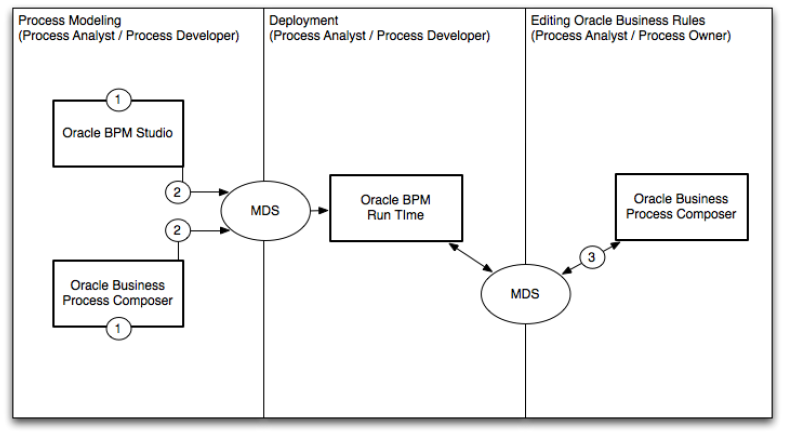
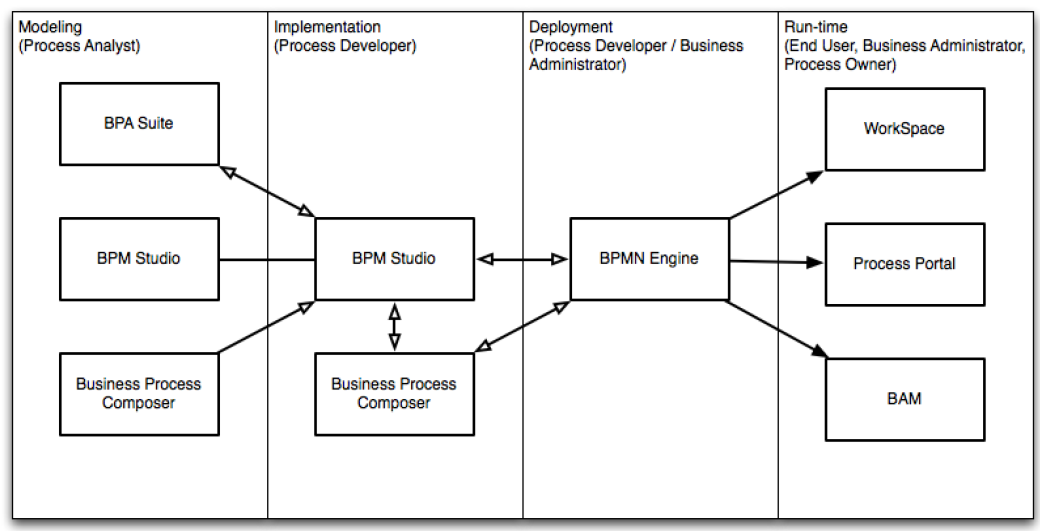
Here some explanations to these boxes:
  • BPM Studio = Jdeveloper 11g with BPM installed
  • Business Process Composer = a web-based application that enables business
    users to collaborate with process developers and designers
  • BAM = a complete solution for building interactive, real-time dashboards and proactive alerts for
    monitoring business processes and services
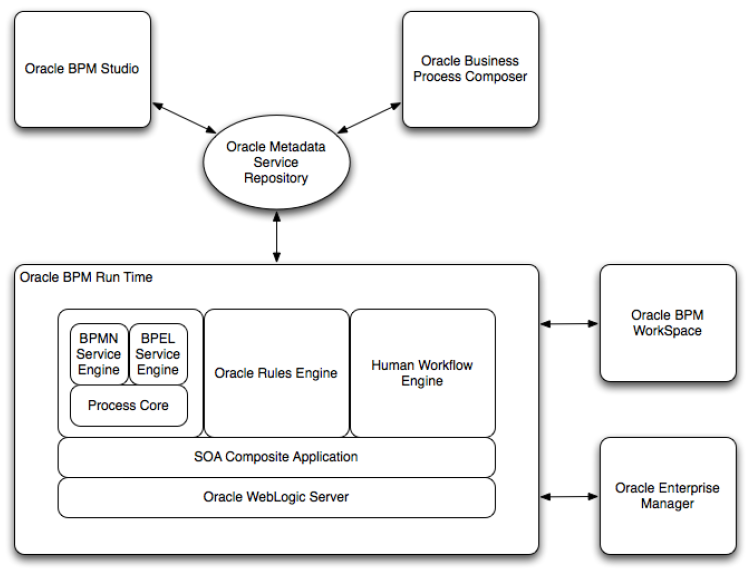
But how do this components fit into Oracle Fusion? Take a look at this picture:

Here you can see, that the BPMN and BPEL Service Engines share the same process core.
The Oracle BPM Engine provides a run-time environment for running business processes. It provides native support for both BPMN and BPEL processes. The Process Core
provides engine functionality that is shared by the BPMN and BPEL engines.
Some of the key functionality performed by the process core includes:
– Manage security
– Generate audit trails
– Invoke services
– Manage persistence
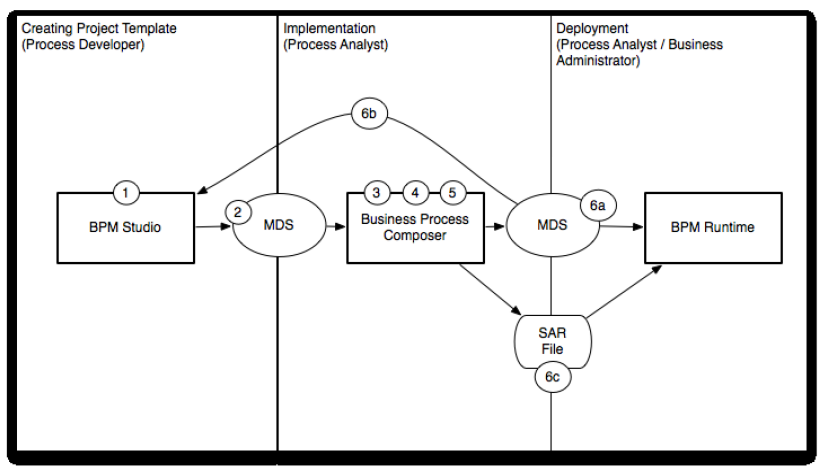
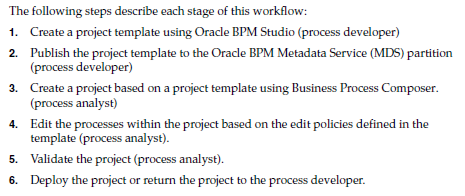
Ok. But why are there two ways for creating business processes? And hwo do they interact with each other?
Here two pictures with typical worksteps:


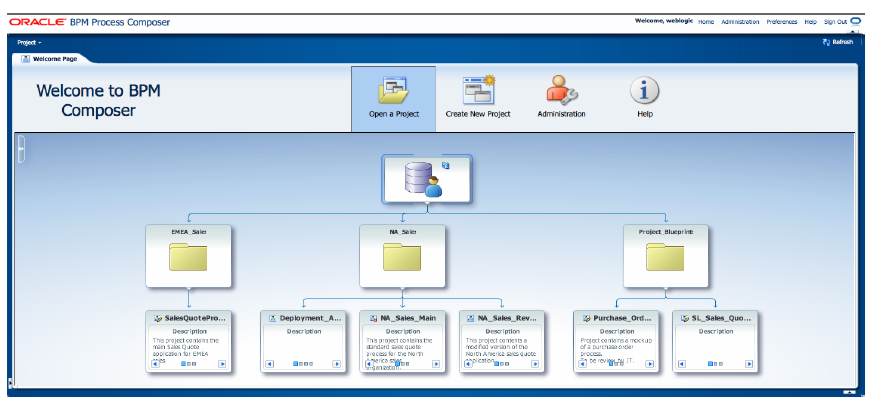
With knowing all this we are able to start our first project. Finally a screenshot of the business process composer:

Sep 5, 2010

Oracle BPM Suite: Documentation

After getting the BPM Suite ready (Installing BPM components into jdeveloper), here a collections of links to quick-starts, tutorials and the original documentation:
  • Oracle BPM and Oracle Service Bus Integration:
    About the global picture...
  • BPM 11g: For Oracle, It's All About Integration:
    Summarizing the steps to Oracle's BPM...
  • The official documentation library (11g Release 1)
    and inside this documentation you can find the following Guides:
  • Modelling and Implementation Guide
    This guide contains 447 pages and is for the following audience:
    This guide is intended for process developers who use the Business Process Studio application to create and implement business processes, and create and configure Oracle BPM projects used to created process-based applications using the Oracle Business Process Management Suite.
  • Administrator's Guide
    Targeted audience (618 pages):
    This document is intended for administrators managing applications on an SOA platform.
  • User's Guide
    With only 150 pages for:
    This document is intended for all users of both Oracle Business Process Management Workspace and Oracle Business Process Management Process Spaces.
  • User's Guide for Oracle Business Composer
    135 pages with the following intended audience:
    This guide is intended for process analysts who use the Business Process Composer application to create and edit the business processes and Oracle BPM projects used to created process-based applications using the Oracle Business Process Management Suite.
    This guide is also intended for process developers who must use Business Process Composer. See Section 1.2, "Oracle BPM User Personas" for more information on these user personas.
    This manual assumes that you have basic knowledge of business process design and are familiar with Business Process Management Notation (BPMN) 2.0.
  • Samples and Demos
Enjoy and Happy Reading!

Aug 31, 2010

Oracle BPM 11g: Missing BPM Studio Components in Jdeveloper 11g

Oracle announced Business Process Management Suite 11g on June 14th 2010:
  • A component of Oracle Fusion Middleware 11g, Oracle Business Process Management Suite 11g is the industry’s most complete, open and integrated Business Process Management (BPM) solution.
  • Oracle Business Process Management Suite 11g supports all types of processes with a new unified process foundation, user-centric design and social BPM capabilities.
  • Oracle Business Process Management Suite 11g includes a native implementation of BPMN 2.0.
So let's take a look at BPM homepage. There you can find a link "getting started". But on the "getting started" page there is a link "Get started with BPM Suite 10g".
Ok - you want 11g you should start with 10g and no quick link how to start the studio...

Next try: Start with the BPM download page. This sounds better:
  • JDeveloper: Download JDeveloper 11.1.1.3.0 (BPM Studio) from the FMW download page. Look for JDeveloper and Application Development Framework in the Required Addition Software section.
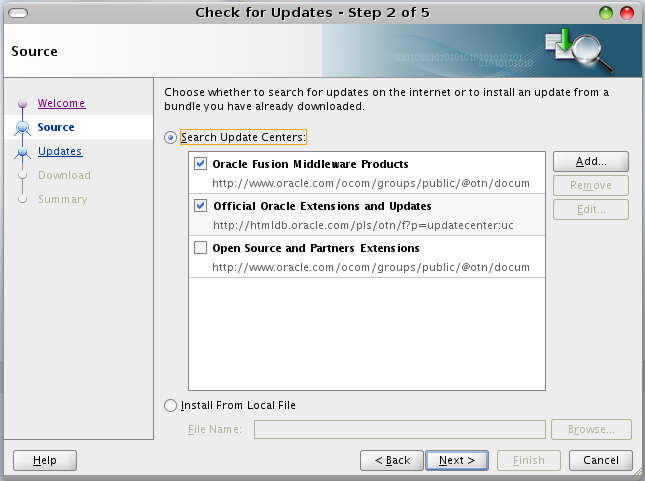
  • SOA and BPM Extension for JDeveloper: Install the SOA and BPM Extension using the JDeveloper Update Center. From the JDeveloper menu choose Help > Check for Updates. In the Update Wizard, select Search Update Centers and ensure Oracle Fusion Middleware Products is checked ( screenshot). Then ensure that Oracle SOA Composite Editor is checked ( screenshot, your version may not match the screenshot exactly). The SOA and BPM Extension is approximately 200 MB each.
But the screenshots are a redirects to the BPM Homepage....

To save your time, here a quick start, how to get the BPM Studio.

First download JDeveloper 11g (11.1.1.3.0), unzip it and run jdeveloper:

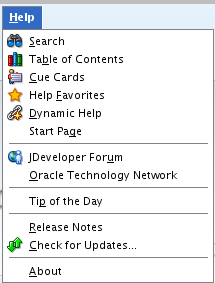
Then open "Check for Updates" inside the "help" menu.

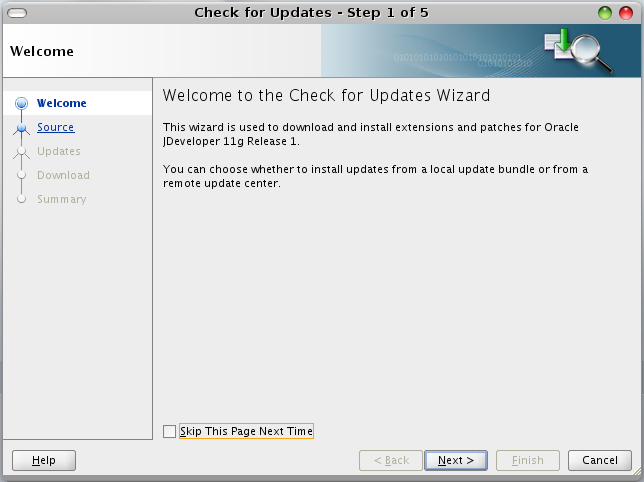
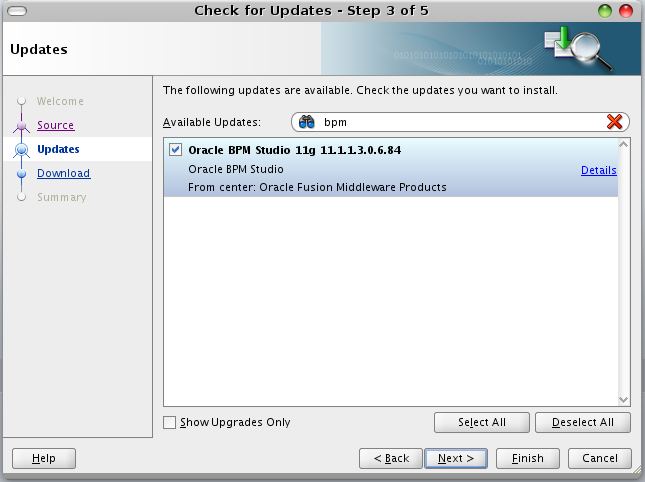
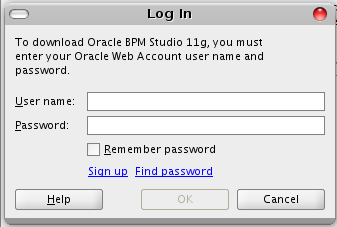
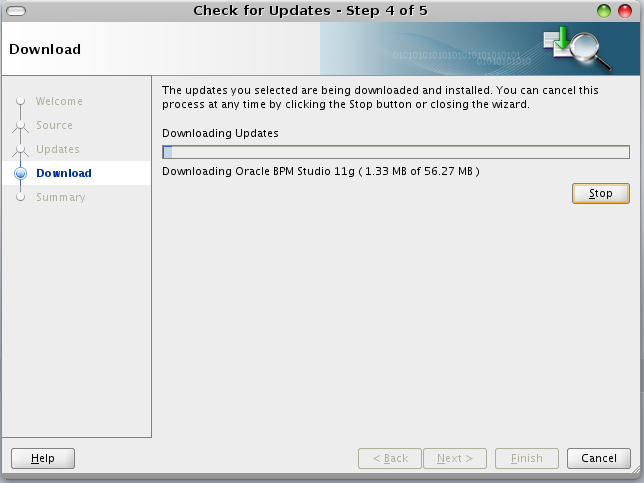
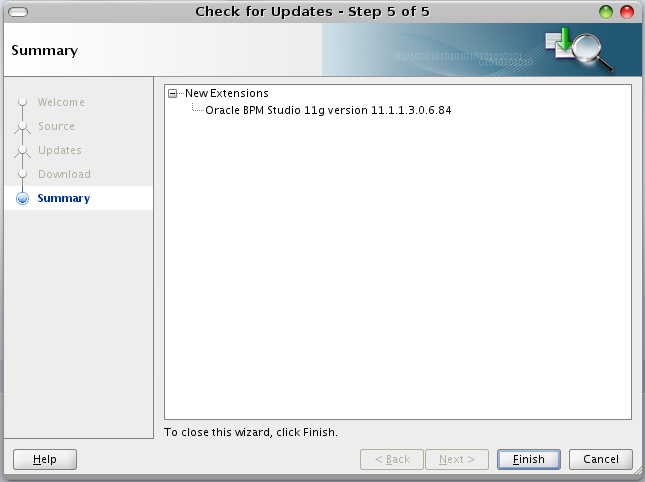
After that follow the Update Wizard like shown in the next pictures:


At this step you have to provide your Oracle account credentials.


Finished!!!

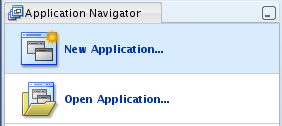
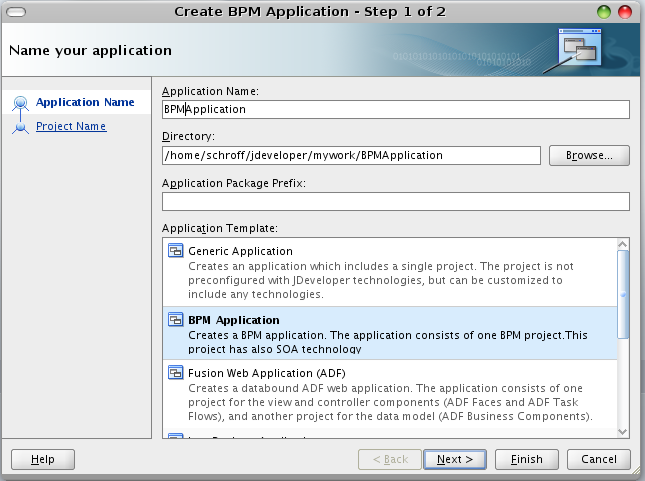
Now you can choose "New Appliation"

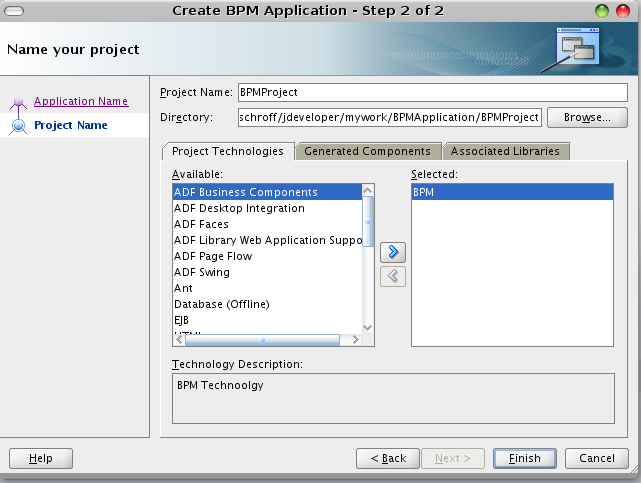
and here we go:


That's all...