Showing posts sorted by date for query lost collaxa. Sort by relevance Show all posts

Jan 31, 2020

Oracle BPEL: What's up with it?

Nearly 20 years ago there was a new standard for modelling business processes: BPEL (https://en.wikipedia.org/wiki/Business_Process_Execution_Language)
Oracle bought Collaxa and released the Oracle BPEL Process Manager.
In 2009 i wrote some posts over tutorials, which where from collaxa and which were very useful for starting with Oracle BPEL product:
http://dietrichschroff.blogspot.com/search?q=lost+collaxa

And what is left today?

The product is still listed on Oracle homepage:

And there is a section with some "news":


But the version number 10.1.3.4 is not really somehing new and if you open the white paper you will see:

I think a whitepaper from 2014 is not really something new. 

If you take a look on the BPEL specification at oasis (http://docs.oasis-open.org/wsbpel/2.0/OS/wsbpel-v2.0-OS.html), you can see, that there was no update to the BPEL standard for more than 10 years. 

It is very sad, that this concept of modelling processes in a graphical way was unsuccessful...

Oct 15, 2017

Oracle SOA Suite developer IDE: Creating a BPEL process (101HelloWorld)

After downloading and installing jdeveloper SOA Suite edition here a short 101 for building a BPEL process. (Nearly 10 years ago i posted the lost collaxa tutorials: 101.HelloWorld. All of these tutorials can be found here.)

First you have to start your jdeveloper (Middleware/Oracle_Home/jdeveloper/jdev/bin/jdev) and choose "All Features":
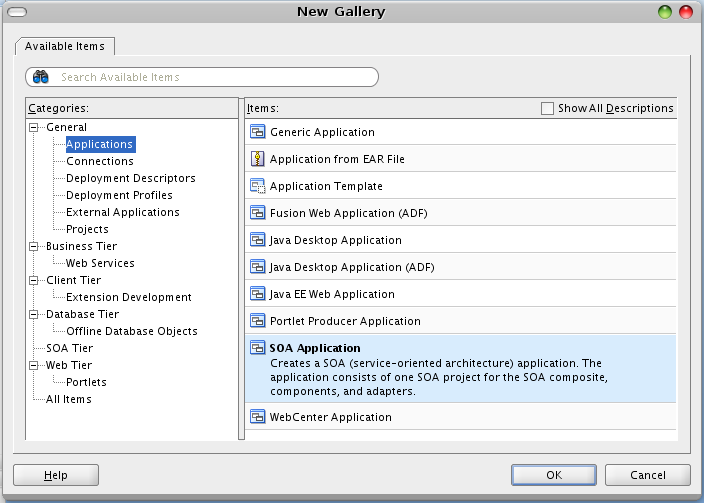
Then create a new application:
and choose SOA application:
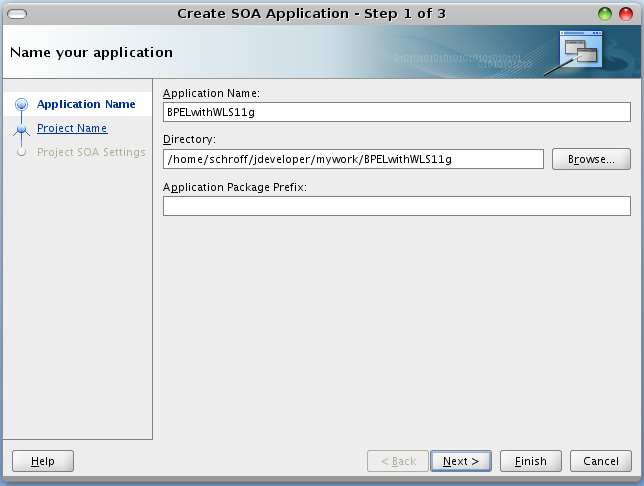
and walk through the application wizard:
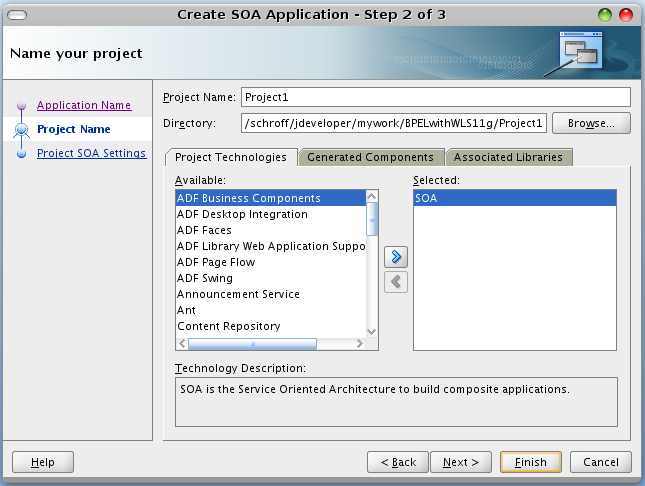
application wizard 2/3
application wizard 3/3
application wizard 3.1/3 (create BPEL process)

and here we are:

a right click onto the blue BPELProcess1 icon and "edit" opens the BPEL process:


On the right hand to this process you can find the components palette:

Now drag and drop the assign icon between the receiveInput and replyOutput node:


A right click to the Assign node and choosing "edit" will open up this dialog:


You can do this mapping via drag and drop:


and finished!

A nice feature of jdeveloper is the "History" tab, where you can compare changes within the XML:


Next posting i will show, how you can run this BPEL process within the jdeveloper builtin weblogic server.

Aug 15, 2009

Migrating BPEL projects from 10g to 11g (example: 101.HelloWorld)

On this blog i started more than one year ago with the lost (collaxa) BPEL-tutorials. My first posting was the 101.HelloWorld.
Now after the arrival of Oracle's application server 11g i decided to do all the tutorials again to see what has changed. So let's start:
First you need to download jdeveloper 11g and add the bpel components.
Then get the old bpel tutorials (you can copy them from an 10g installation area: /opt/oracle/product/10.1.3.1/OracleAS_1/bpel/samples/tutorials).
After that open jdeveloper and create an application:


Then you have to create a project, even we do not need this here:


Then you can click finish.
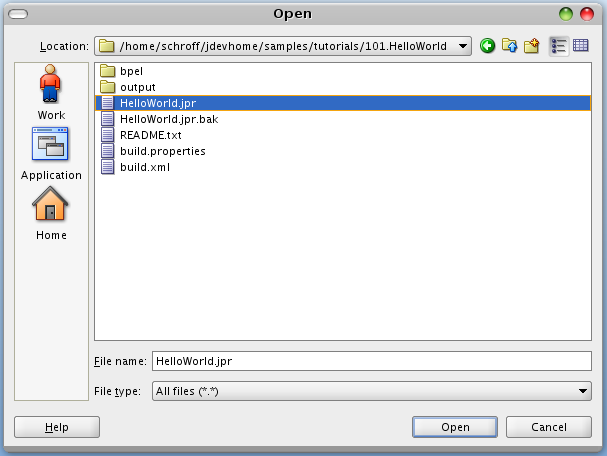
Now choose open and select the HelloWorld.jpr:

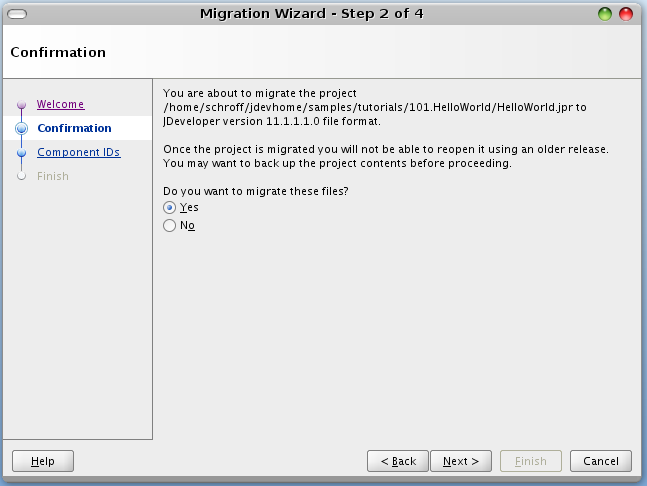
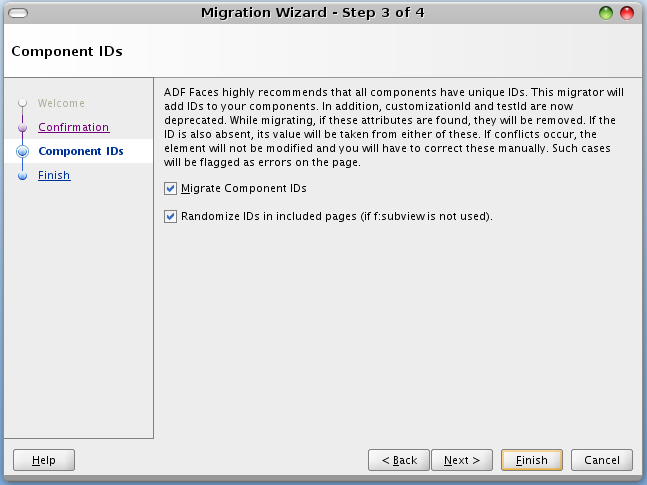
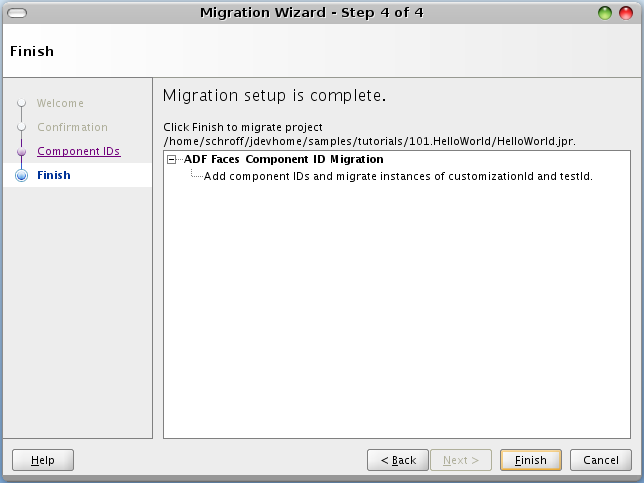
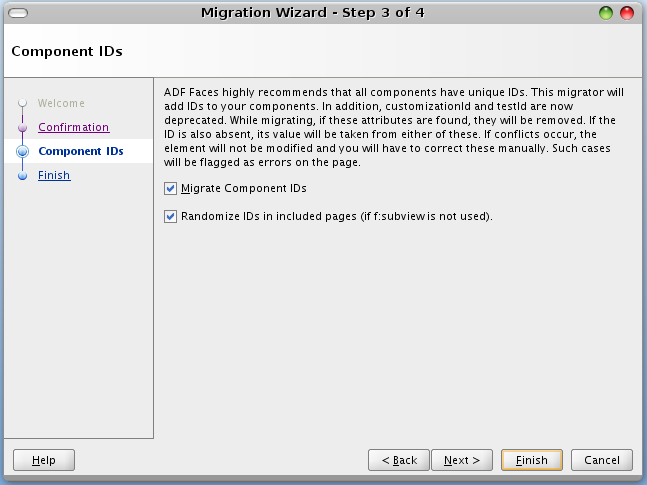
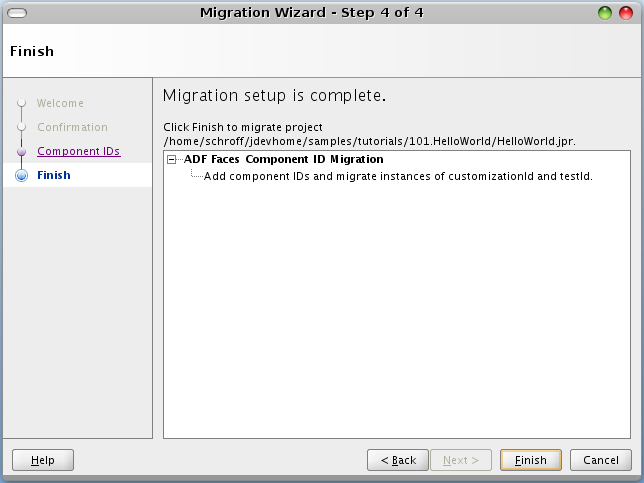
This starts the migration wizard:


And the wait:


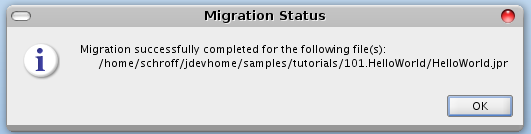
Done! So let's see what happened.
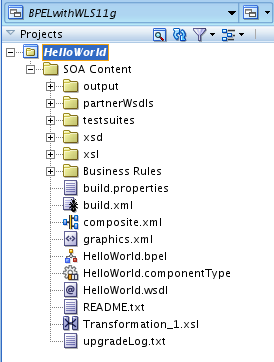
Ok, much more files than in 10g:

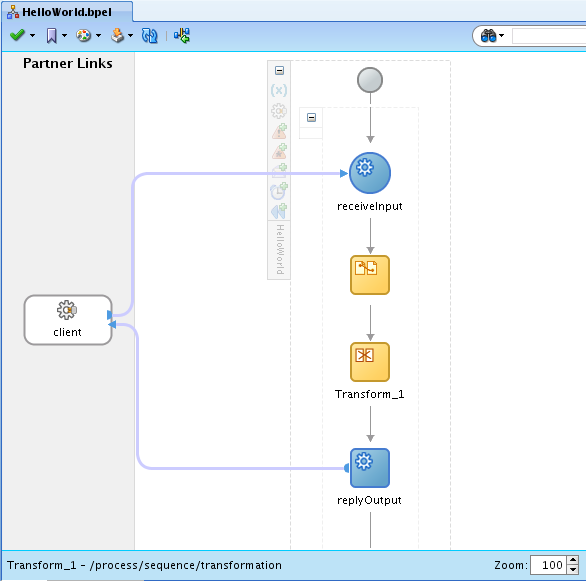
The bpel itself has one transformation more than before:

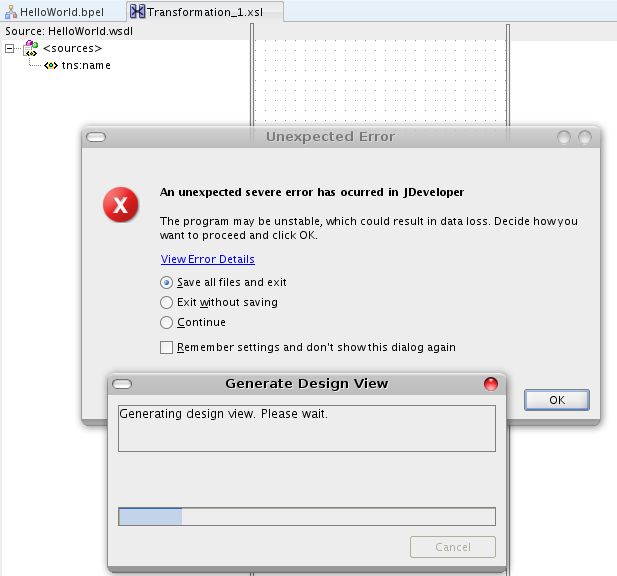
Opening the transformation, i got the following error:

But after restarting jdeveloper, i was able to access this xslt.

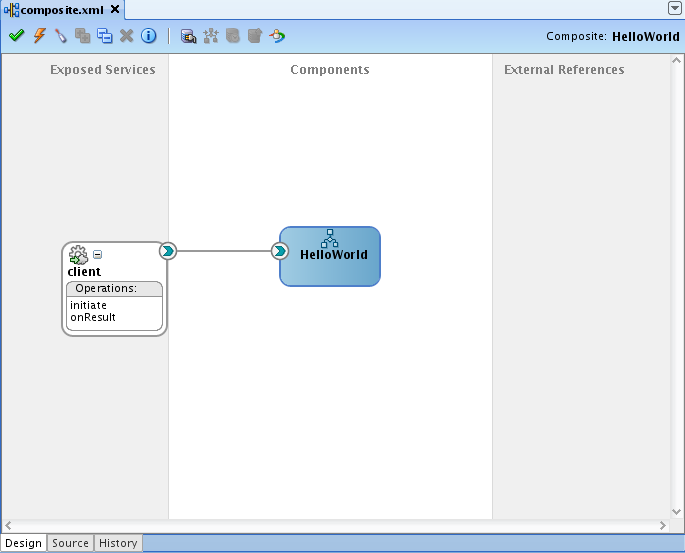
In addition a composite was generated:

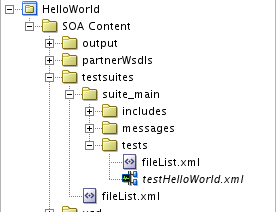
The test suite was migrated, too

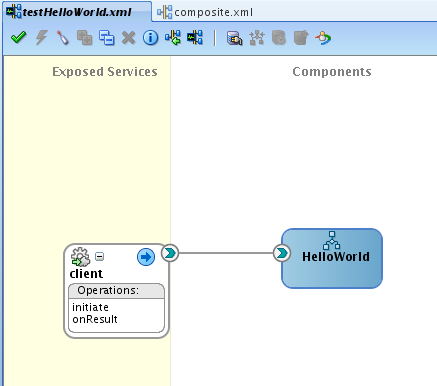
As a difference to 10g the tests are added at composite level and not inside the bpel (the blue arrow inside the light blue circle).

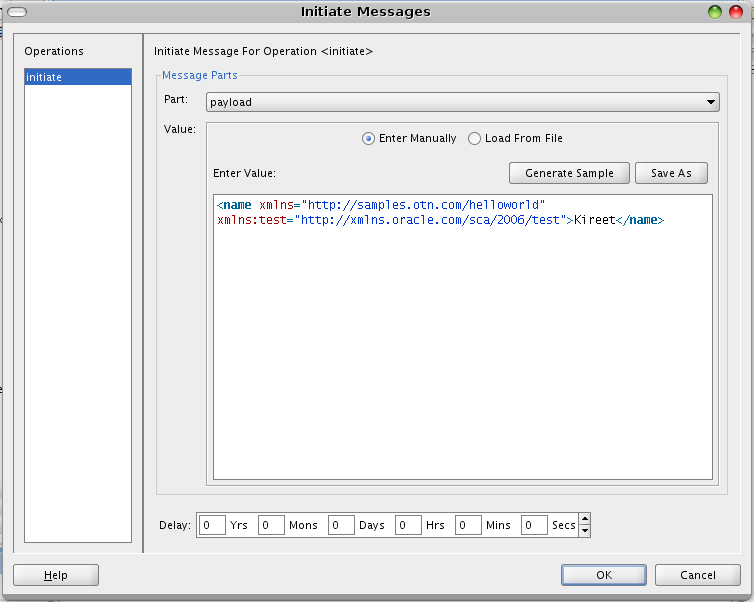
Double clicking this arrow opens this dialog:


And Generate Sample does really work (it changes Kireet to name1 ;-)....
Deploying and checking will be done in another posting.

Apr 3, 2009

The lost (collaxa) BPEL-Tutorials: 106.ParallelFlows

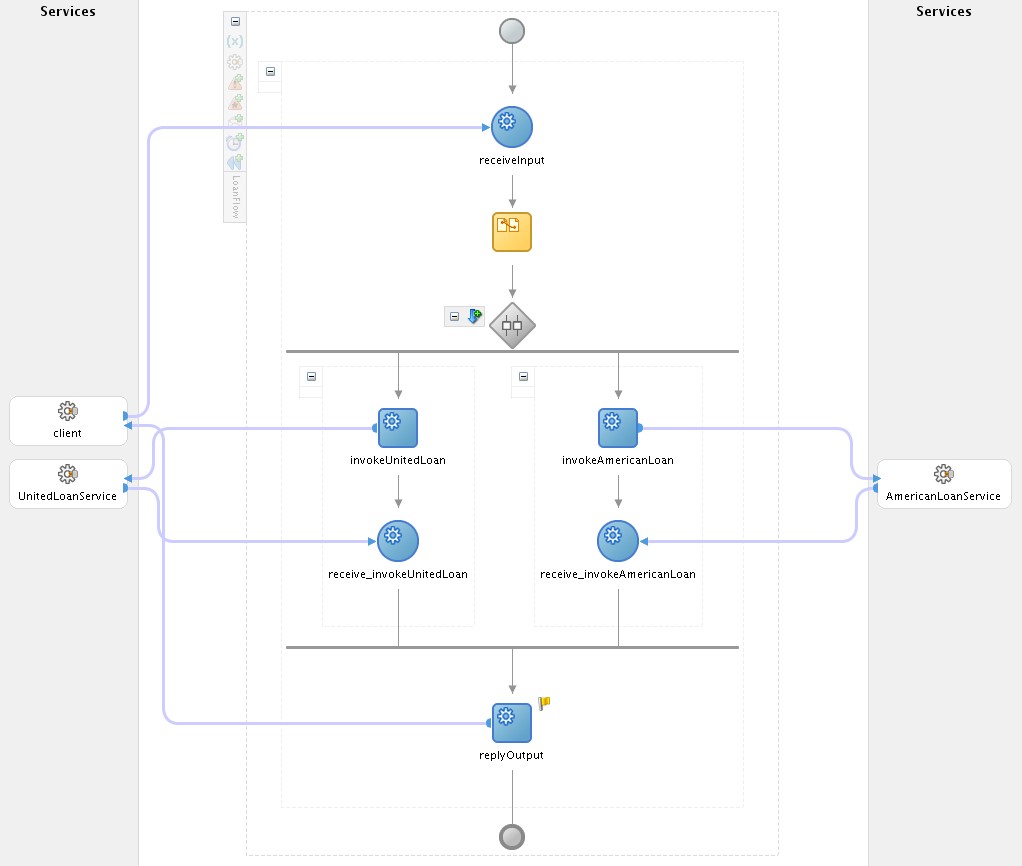
This tutorials shows, how to use the parallel flow with Oracle's BPEL PM.
The process looks like this:


First you have to set up everything (see this posting) and change these property files:

/opt/oracle/product/10.1.3.1/OracleAS_1/bpel/samples/tutorials/106.ParallelFlows/build.properties
/opt/oracle/product/10.1.3.1/OracleAS_1/bpel/samples/utils/AsyncLoanService/UnitedLoan/build.properties
/opt/oracle/product/10.1.3.1/OracleAS_1/bpel/samples/utils/AsyncLoanService/AmericanLoan/build.properties


(at least username, passwort and port)
Then use the following commands to deploy everything:


/opt/oracle/product/10.1.3.1/OracleAS_1/bpel/bin/devprompt.sh

bash-3.00$ /opt/oracle/product/10.1.3.1/OracleAS_1/ant/bin/ant
...
BUILD SUCCESSFUL
Total time: 4 seconds


To see the example running, go to the BPELConsole and open the FlowSample process and initiate it with the following XML Source:

<soap:Envelope xmlns:soap="http://schemas.xmlsoap.org/soap/envelope/">
<soap:Header/>
<soap:Body xmlns:ns1="http://www.autoloan.com/ns/autoloan">
<loanApplication xmlns="http://www.autoloan.com/ns/autoloan">
<SSN>987654321</SSN>
<email>ganga.sah@oracle.com</email>
<customerName>Ganga Sah</customerName>
<loanAmount>25000.00</loanAmount>
<carModel>Honda Acura</carModel>
<carYear>2004</carYear>
<creditRating>750</creditRating>
</loanApplication>
</soap:Body>
</soap:Envelope>


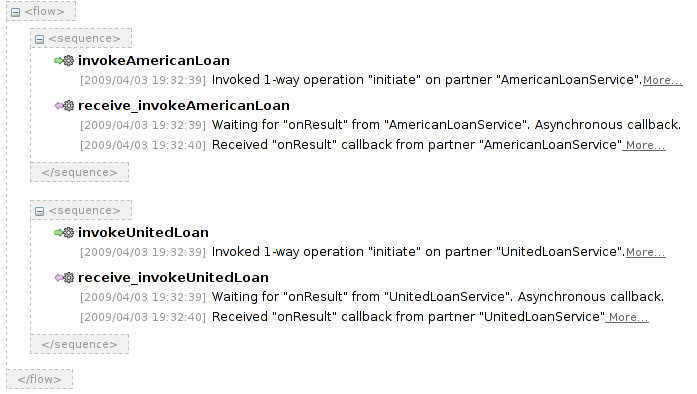
Then the audit trails will show the following:


You can see at the timestamps, that both sequences are really running in parallel. But note that this does not already happen:

http://forums.oracle.com/forums/thread.jspa?messageID=3297029&#3297029
(running synchronous processes in parallel)
or
http://forums.oracle.com/forums/thread.jspa?messageID=2246512&#2246512
(variables in parallel flows)

You can find all bpel tutorials on this blog via this link.

Mar 6, 2009

The lost (collaxa) BPEL-tutorials: 102.Invoking... RMI

This tutorials shows, how to invoke a BPEL process inside Oracle's PM using RMI.
To run this tutorial please deploy the CrediRatingService like shown in this posting.

Then enter the directory $ORACLE_HOME/bpel/samples/tutorials/102.InvokingProcesses/rmi. First take a look at the sample code (com/otn/samples/RMIClient.java):

Locator locator = new Locator("default","bpel",props);
IDeliveryService deliveryService = (IDeliveryService)locator.lookupService(IDeliveryService.SERVICE_NAME );
// construct the normalized message and send to collaxa server
NormalizedMessage nm = new NormalizedMessage( );
nm.addPart("payload", xml );
NormalizedMessage res = deliveryService.request("CreditRatingService", "process", nm);
Map payload = res.getPayload();


and the properties inside context.properties:
orabpel.platform=ias_10g
java.naming.factory.initial=com.evermind.server.rmi.RMIInitialContextFactory
java.naming.provider.url=opmn:ormi://mysoaserver:6003:oc4j_soa/orabpel
java.naming.security.principal=oc4jadmin
java.naming.security.credentials=SECRET

and that's all.
To run this example set BPEL_HOME to $ORACLE_HOME/bpel and type
$ORACLE_HOME/ant/bin/ant javac
and
$ORACLE_HOME/ant/bin/ant run

The result should look like this:

oracle@mysoaserver:tutorials/102.InvokingProcesses/rmi >/opt/oracle/product/10.1.3.1/OracleAS_1/ant/bin/ant run
Buildfile: build.xml

run:
[copy] Copying 1 file to $ORACLE_HOME/bpel/samples/tutorials/102.InvokingProcesses/rmi/classes
[echo] JRMI Client on ias_10g app-server
[java] ssn is 123-12-1234
[java] {java.naming.provider.url=opmn:ormi://gipsun173.gip.local:6003:oc4j_soa/orabpel, java.naming.factory.initial=com.evermind.server.rmi.RMIInitialContextFactory, orabpel.platform=ias_10g, java.naming.security.principal=oc4jadmin, java.naming.security.credentials=SECRET}
[java] BPELProcess CreditRatingService executed!<br>
[java] Credit Rating is <rating xmlns="http://services.otn.com">560</rating>

BUILD SUCCESSFUL
Total time: 12 seconds


You can find all bpel tutorials on this blog via this link.

Dec 2, 2008

The lost (collaxa) BPEL-tutorials: Tutorial 3: Manipulating XML Documents in BPEL

There is a nice tutorial for all xml beginners. You can download this document here.
I just copied some headlines from the table of contents, which should be known by every BPEL developer:


  • Manipulating Arrays
  • Statically Indexing into an Array
  • Determining Array Size
  • Dynamically Indexing into an Array
  • Dynamically indexing by Constructing an XPath at Run Time
  • Dynamically Indexing with the BPEL getElement Function
  • Merging Arrays
  • Appending New Items to an Array
  • Converting From a String to an XML Element
  • Differences for RPC-style WSDL Files

Initializing a Variable with Literal XML was shown in 103.XMLDocuments.
To start with arrays you can try the tutorial 112.Arrays.

The size of an array can be evaluated with this expression:

<assign><copy>
<from expression="ora:countNodes('output', 'payload','/invoice/lineItems/item')"/>
<to variable="lineItemSize"/>
</copy></assign>


To convert excaped XML to a variable the following snippet is very useful:

<assign><copy>
<from expression="ora:parseEscapedXML('
<item xmlns="http://samples.otn.com"sku="006">
<description>sun ultra sparc VI server</description>
<price>1000</price>
<quantity>2</quantity>
<lineTotal>2000</lineTotal>
</item>
')"/>
<to variable="escapedLineItem"/>
</copy></assign>


The opposite can be done with ora:getContentAsString().

Nov 2, 2008

The lost (collaxa) BPEL-tutorials: 112.Arrays

If you do not know how to iterate over an array, you should read this tutorial:

To model an array with XML you have to create the following XSD:


The element line-item is modelled like this:

<element name="line-item" type="tns:line-itemType" maxOccurs="unbounded"/>

Here the BPEL of this collaxa-tutorial:

If you take a look at the sample code, it works like this:

  1. create a xpath-expression via concat
  2. use this xpath-expression inside another expression
  3. increment the iterator-variable
That's all:

concat('/tns:invoice/tns:line-item[',bpws:getVariableData('iterator'),']/tns:line-total')
is evaluated at runtime to:
/tns:invoice/tns:line-item[1]/tns:line-total
and inserted
bpws:getVariableData('input','payload','/tns:invoice/tns:line-item[1]/tns:line-total')

Another way is to write just
bpws:getVariableData('input','payload','/tns:invoice/tns:line-item[$iterator]/tns:line-total')
which is much easier...

One nice thing with this 112.Arrays example is, that after deployment you find the BPELConsole already filled with parameters:


How can this be achieved? After deployment you can use the checkbox "Save Test" for the first invoke and after that you get this parameters each time filled in.
In this example just take a look at the bpel.xml:


Inside the bpel.xml you can put the default data for the BPELConsole inside this CDATA:
<property name="defaultInput"><![CDATA[
<mydata>parameter1</mydata>
]]></property>


Oct 22, 2008

The lost (collaxa) BPEL-tutorials: 102.InvokingProcesses

After some non-BPEL related blog entries, the next BPEL tutorial. I started with the tutorials 101 (setting up your environment), 103 (XML fragments), 104 (sync BPEL), 105 (async BPEL). Now i think it is time to look how BPEL processes can be invoked.
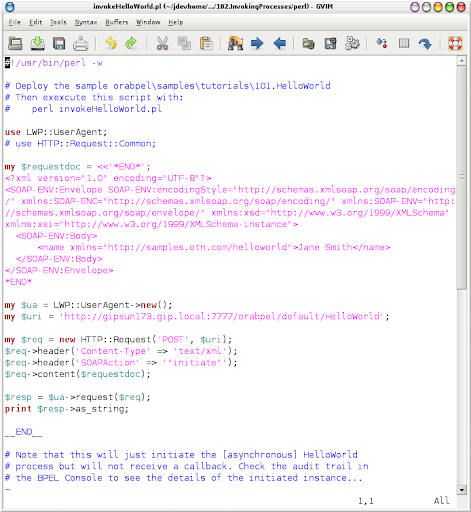
Let's start with invoking via Perl:
102.InvokingProcesses/perl/invokeHelloWorld.pl


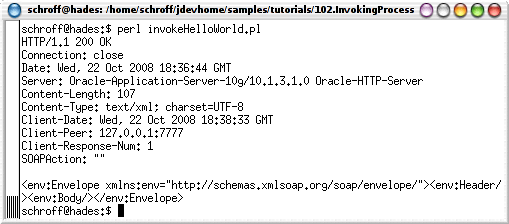
To get this perl script running the helloWorld (101) has to be deployed. It very easy, just type


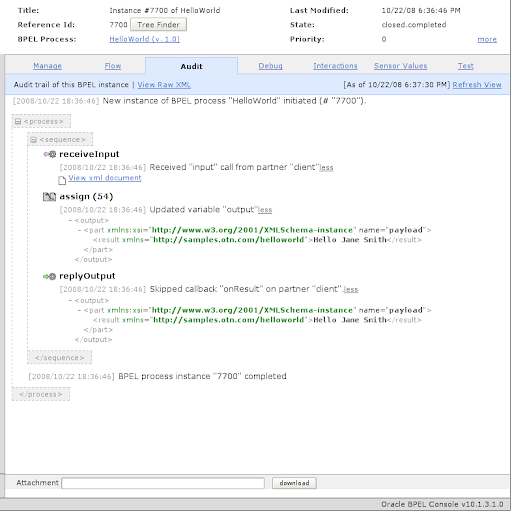
and just check, that the process was really invoked in the BPELConsole
(http://yourserver:7777/BPELConsole):


That's all. You only have to import

use LWP::UserAgent;
inside the Perl script and create a SOAP request.

This example was only the invocation of the asynchronous HelloWorld without waiting for the response. In the same directory you can find the
invokeCreditRatingService.pl. This scripts waits for the response of the BPEL process, but you have to deploy the CreditRatingService:


You can find it in $ORACLE_HOME/bpel/samples/utils/CreditRatingService (There is a CreditRatingService.jpr inside, so you can open it in your JDeveloper).
Invoking this BPEL via perl will show the following output:


And as you can see the perl script gets the result (560) of the BPEL...


Aug 3, 2008

The lost (collaxa) BPEL-tutorials: 105.AsyncCompositeLoanBroker

Here the next BPEL tutorial. If you are starting now, please set up your environment first (take a look on the previous tutorials).
The AsyncCompositeLoanBroker will show you, how to call an asynchronous webservice/BPEL within a BPEL.

  1. Open the LoanBroker.jpr in your JDeveloper. Then open the BPEL:

  2. The LoanService is used with an Invoke and a Receive. This has to be done everytime the wsdl you use has the structure (asynchronous):
    <portType name="LoanService">
    <operation name="initiate">
    <input message="tns:LoanServiceRequestMessage"/>
    </operation>
    </portType>
    <portType name="LoanServiceCallback">
    <operation name="onResult">
    <input message="tns:LoanServiceResultMessage"/>
    </operation>
    </portType>

    and not like this (synchronous)
    <portType name="StockQuoteService">
    <operation name="process">
    <input message="tns:StockQuoteServiceRequest"/>
    <output message="tns:StockQuoteServiceResponse"/>
    </operation>
    </portType>

    For more information read the WSDL-specification...
  3. To get the tutorial running, you have to modify all build.properties in ../../utils/AsyncLoanService and in the LoanBroker project (http.port, admin.password, ...) .
  4. Do a right click on the build.xml and choose "Run Ant Target" -> deploy
    This target will deploy the LoanService and the LoanBroker.
  5. To start the BPEL open the BPELConsole -> Dashboard and click on LoanBroker. Put some parameters in the form and click invoke.

  6. In opposite to an invoke of synchronous BPEL, you will not get the response. The BPELConsole shows the following:

  7. Click on the audit and there you can see the result of the instance.
    This audit screen is very nice for debugging or retracing workflow instances.
The advantage of asynchronous BPELs is, that you do not have to care about timeouts, but this comes with the cost, that the BPEL PM has to dehydrate the instance into the database (which is a little bit slower...)