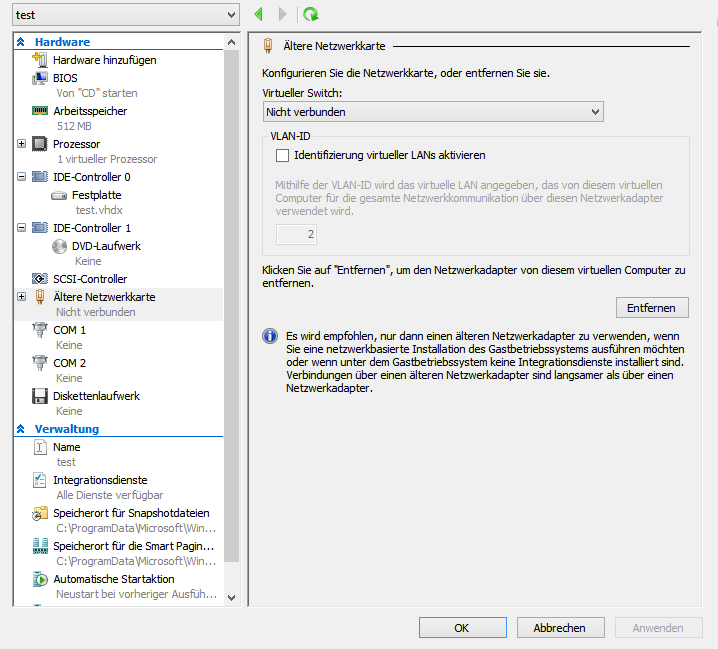
After knowing, that running a linux inside Hyper-V is only working with the "legacy" network adapter (look
here), i was trying to build a kernel with the drivers (Microsoft has added the drivers into the Linux kernel versions >2.6.32).
There is one nice tutorial out there:
- IT FROM ALL ANGLES: Hyper-V Guests: Compile Linux Kernel 2.6.32 on Debian
But the menus of menuconfig have changed with kernel version 3.0. Microsofts Hyper-V kernel modules are no longer located inside the staging section. They can be found here:
Device Drivers --> Network device support -->
Device Drivers --> Microsoft Hyper-V guest support -->
Device Drivers --> HID Support --> Special HID Drivers -->
All other steps work like described in
IT FROM ALL ANGLES: Hyper-V Guests: Compile Linux Kernel 2.6.32 on Debian.
Microsoft offers a ISO-image for installing the kernel modules for some special kernel version for this linux distributions:
- Red Hat Enterprise Linux 5.7, 5.8, 6.0-6.3 x86 and x64
- CentOS 5.7, 5.8, 6.0-6.3 x86 and x64
The ISO-image can be downloaded from
this location.
Note: If you try to build the kernel in you virtual machine, you need at least 6GB in /usr/src for compiling your kernel...